 Google Workspace
 Zoho Mail
 Zoho Workplace
 Adobe Solutions
 Zoom Solutions
Picking a business email sounds boring until you mess it up.
Because once your team is using the wrong thing, switching later becomes… painful. Old logins break. Someone misses an invoice. A client gets an email from a weird address like yourbusiness207@gmail.com and quietly loses confidence. It happens.
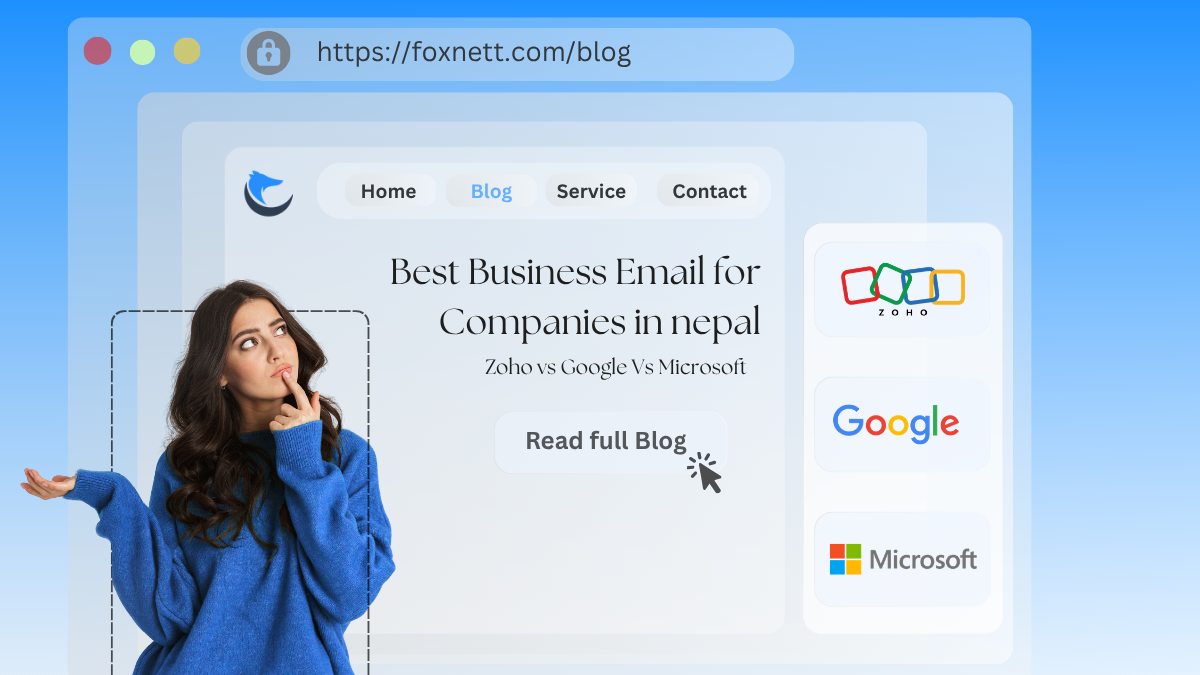
So, if you are a company in Nepal and you are trying to decide between Zoho Mail, Google Workspace, and Microsoft 365 for business email, this post is for you.
Not in a theoretical way. In a Nepali business reality way. Price sensitivity. VAT bills. Ncell and WorldLink internet days. Small teams that suddenly become 30 people. Businesses that need proper signatures, storage, and admin control, but also do not want an IT department just to run email.
Let’s get into it.
What most companies in Nepal actually need from business email
Before tools. Here is the checklist I see again and again.
You want:
- Your own domain email like
name@company.com(obviously). - Deliverability that does not land in spam when you email abroad.
- Simple admin control so you can add and remove staff without drama.
- Decent storage because everyone sends PDFs now. Big ones.
- Mobile reliability because most teams live on phones.
- Security basics like 2FA and device control.
- Support that responds when something breaks.
- A clean cost structure you can explain to your finance person without a 30 minute meeting.
And then there’s the “nice to have” stuff.
Shared mailboxes for info@, sales@, support@. Email archiving. Team calendars. Video meetings. Document storage. A basic intranet. Stuff you may or may not use.
Now let’s compare the big three.
Quick summary (if you just want the answer)
If you do not want to read the whole thing, here is the practical pick.
- Most small and growing companies in Nepal should start with Google Workspace if they want the easiest experience and the best overall reliability, especially if the team already lives in Gmail and Google Drive.
- Zoho Mail is the best value choice when budget matters, you mainly need email, and you still want a proper business setup without paying “Google prices”.
- Microsoft 365 is the best fit when your company is already using Excel heavy workflows, Windows laptops, Outlook, or you need more enterprise style controls and compliance. Also common in larger orgs and companies working with international corporate clients.
But. The details matter. So let’s go deeper.
Option 1: Zoho Mail for Nepalese companies
Zoho is the one people underestimate.
It is not as “famous” as Google or Microsoft here, so many founders ignore it. But Zoho Mail is solid, and for a lot of Nepali SMEs it hits the sweet spot.
What Zoho does well
1. Cost and simplicity Zoho tends to be cheaper, especially if you do not need a full office suite. If your main need is business email plus basic collaboration, Zoho can save you real money over 12 to 24 months.
2. Clean, no nonsense admin Adding users, setting up groups, aliases, and routing rules is pretty straightforward. Even a non technical person can learn it in a day.
3. Shared mailboxes and aliases You can set up info@company.com and have it deliver to multiple people. Or set up department emails. Many Nepali businesses run like this.
4. Decent webmail experience Zoho Mail’s interface is fine. Not “fun”, but fine. It is stable and practical.
5. Works well even if you only want email This is the big thing. Google and Microsoft often feel like you are buying a whole ecosystem even if you just want email. Zoho is happy to be “just email” for you.
Where Zoho can feel weaker
1. Ecosystem and familiarity Most employees already know Gmail. Most do not know Zoho Mail. So there is a training cost, even if small.
2. Document collaboration is not the default Zoho has Zoho Workplace apps, but in Nepal people are already sharing Google Docs links everywhere. If your team is deeply in Google Drive culture, Zoho might feel like a shift.
3. Client expectations This is subtle. International clients rarely care what email provider you use. But internally, Google and Microsoft feel like “standard”. Zoho feels like “alternative”. Not a real problem, but it comes up.
Who should choose Zoho in Nepal
Zoho Mail is a great pick if:
- You want business email with your domain and you are cost conscious.
- You have a small team and you do not want to overbuy.
- You want shared inboxes and admin control without complexity.
- You do not need advanced Microsoft compliance tools, and you are not married to Gmail.
If you are a startup, consultancy, education institute, travel agency, or local service business, Zoho often makes sense.
Option 2: Google Workspace (Gmail for business)
Google Workspace is basically the default for modern teams. It is hard to beat because the product experience is so smooth.
And yes, in Nepal too.
What Google Workspace does well
1. Gmail is just… easy Everyone knows it. Search is excellent. The spam filter is excellent. The UI is fast even on average connections.
For Nepal, that last part matters more than people admit.
2. Deliverability If you are emailing clients in the US, Australia, Europe, Japan, wherever. Gmail based business accounts tend to land in inbox more reliably, assuming your domain DNS is configured properly.
3. Drive, Docs, Sheets collaboration Even if you do not think you need it, you will use it. Shared folders. Real time edits. Client proposals. HR docs. Finance sheets. It becomes part of the company.
4. Admin console It is powerful, but still approachable. You can handle users, security, 2FA enforcement, basic device policies, and app access without needing a full time admin.
5. Works beautifully on mobile Most staff in Nepal are checking email on phones. Gmail app is mature and stable.
Where Google Workspace annoys people
1. Pricing creeps up Google is not the cheapest. And as you scale from 5 users to 25 to 60, suddenly it is a real monthly cost. For some businesses, that’s fine. For others, it starts to sting.
2. Support experience depends Google support exists, but for small customers it can feel templated. If you are used to calling “a guy” and getting instant help, Google can feel distant.
3. Shared inbox needs extra tools Google Groups can work for shared inbox behavior, but if you want a proper customer support style shared mailbox, many teams end up using add ons or helpdesk tools.
Who should choose Google Workspace in Nepal
Google Workspace is the best fit if:
- Your team already uses Gmail personally and you want zero friction.
- You collaborate on documents a lot.
- You want strong spam filtering and reliability without overthinking it.
- You are growing fast and want something that scales cleanly.
If you are a tech company, marketing agency, outsourcing company, SaaS startup, or any team working across time zones, Google Workspace is usually the simplest answer.
Option 3: Microsoft 365 (Outlook for business)
Microsoft 365 can be overkill for a 6 person team.
But for some businesses, it is perfect. Especially if your work is already tied to Microsoft Office and Windows.
What Microsoft 365 does well
1. Outlook and Exchange are built for business Exchange email is mature. Shared mailboxes are first class. Calendars, meeting scheduling, room resources. It is strong.
If your company runs on Outlook, Microsoft is the natural home.
2. Office apps This is the biggest reason many companies choose Microsoft 365. Word, Excel, PowerPoint. Proper desktop apps. Not just browser versions.
In Nepal, a lot of accounting and admin work is Excel heavy. And yes, Google Sheets is good. But many teams still prefer Excel.
3. Enterprise controls Microsoft goes deep on compliance, security, retention, conditional access, device policies, and identity control. You might not use it now. But if you are in a regulated industry, or you are handling sensitive data, it matters.
4. Teams Teams is included in many plans and becomes the company communication hub. Meetings, chats, channels, file sharing.
Where Microsoft 365 feels harder
1. Setup complexity It is not horrible, but it is more complex than Google. DNS, security defaults, Outlook profiles, licensing variations. You will likely want someone technical to set it up properly.
2. The ecosystem can feel heavy Microsoft has a lot of moving parts. If your company is small and just needs email, it can feel like bringing a truck to carry a backpack.
3. Mobile experience is fine, but not as frictionless Outlook mobile is good. But Gmail is still the simpler experience for many people.
Who should choose Microsoft 365 in Nepal
Microsoft 365 is best if:
- You already rely on Word, Excel, PowerPoint desktop apps.
- Your team uses Outlook and prefers it.
- You need shared mailboxes, calendar control, and enterprise style admin.
- You work with international corporates that already use Microsoft ecosystems.
For manufacturing, trading companies, larger service firms, NGOs, and organizations with formal IT processes, Microsoft 365 is often the long term stable choice.
Pricing in Nepal (what to watch out for)
I am not going to throw exact NPR numbers here because pricing changes, exchange rates move, and local resellers bundle things differently.
Instead, here is the better way to think about cost.
Cost drivers that matter more than the plan price
1. Number of users Email licensing is per user. So your growth plan matters. A 10 user team can pick almost anything. A 100 user org needs to be careful.
2. Storage needs If your team shares large files by email instead of Drive/OneDrive links, storage becomes a hidden problem.
3. Do you need desktop Office apps If yes, Microsoft becomes more attractive because you may pay for Office separately otherwise.
4. Support and setup If you need someone to configure DNS, SPF, DKIM, DMARC, migration, user training. That is a one time cost but it is real.
If you do not do SPF and DKIM properly, even the best provider will land in spam sometimes. And then people blame the provider. It is not always the provider.
Deliverability in Nepal: SPF, DKIM, DMARC
Quick reality check.
A lot of Nepali companies buy domain hosting, then create email, then start sending. No SPF. No DKIM. No DMARC. Then they wonder why emails to Australia end up in spam.
Regardless of whether you use Zoho, Google, or Microsoft, it’s essential to configure the following:
- SPF to authorize your email provider.
- DKIM to sign outgoing mail.
- DMARC to tell receiving servers how to treat failures.
These steps are part of the broader email authentication process, which significantly improves your email reputation more than switching providers in many cases.
If you’re unsure about the configuration, ask your domain hosting provider or whoever manages your DNS for assistance.
Also, avoid sending bulk marketing emails from your main mailbox. Use proper email marketing tools and domains if needed.
Migration: moving from old email to a new provider
Most companies in Nepal find themselves in one of these situations:
- They are using a random cPanel email from their hosting company.
- They are using personal Gmail accounts.
- They are using an old Exchange setup that nobody wants to maintain.
Migration is doable, but it requires careful planning.
The smooth migration approach
- Create accounts on the new platform.
- Set up domain DNS records.
- Migrate existing emails (IMAP migration tools exist for all three).
- Test internally.
- Switch MX records.
- Keep the old system accessible for a short period just in case.
If you have 2 mailboxes, you can complete this process in an afternoon. However, if you have 80 mailboxes, don’t attempt to do it casually on a Friday evening – you’ll likely regret it.
Real world recommendations (by company type)
This part is usually what people want. So here.
If you are a small team (1 to 10 people)
- Zoho Mail if budget matters and you mostly need email.
- Google Workspace if you want the easiest onboarding and collaboration.
If you are a growing company (10 to 50 people)
- Google Workspace is the safest choice for most.
- Microsoft 365 if you already run on Office apps and Outlook.
If you are more traditional or compliance heavy (50+ people)
- Microsoft 365 often wins here due to admin depth, shared mailboxes, retention policies, and integration with corporate environments.
If you are client facing and do lots of proposals and coordination
- Google Workspace because Docs and Drive sharing becomes your daily life.
If you have a sales and support team with shared inbox needs
- Microsoft 365 shared mailboxes are very natural.
- Zoho can work too, and Zoho also has CRM and helpdesk options if you grow into that ecosystem.
- Google can do it, but many teams end up adding a helpdesk product anyway.
The decision framework (pick in 5 minutes)
Answer these honestly.
1) Do you need desktop Word, Excel, PowerPoint?
- Yes -> Microsoft 365
- No -> go next
2) Is your team already using Gmail and Google Drive a lot?
- Yes -> Google Workspace
- No -> go next
3) Is cost your top priority and you mainly want email?
- Yes -> Zoho Mail
- No -> go next
4) Do you want the simplest admin and least training?
- Usually -> Google Workspace
That’s basically it.
Common mistakes Nepalese companies make when setting up business email
Mistake 1: Buying email from the cheapest hosting plan
cPanel email works. But it breaks at the worst times. Storage fills. Deliverability is inconsistent. Support is… depends on the host.
If your email is business critical, treat it like business critical.
Mistake 2: No offboarding process
When someone leaves, their email stays active. Or worse, nobody knows the password. Or the account is shared by three people. This becomes a security issue fast.
All three platforms let you reset access, archive, forward, or convert to shared mailbox style setups. Use it.
Mistake 3: Using info@ as the login for everything
Do not do this. Create user accounts for individuals, then manage shared addresses properly.
Mistake 4: Not enforcing 2FA
One compromised mailbox can ruin your whole domain reputation. Enforce 2FA.
So, which one is the best business email for companies in Nepal?
Here is the honest conclusion, slightly opinionated.
Choose Zoho Mail if you want value and you are not trying to impress anyone with logos
You want professional email. You want control. You want it cheaper. You do not need the whole Google or Microsoft universe.
Zoho is a good decision that many companies skip just because it is not the default.
Choose Google Workspace if you want the smoothest experience and the least friction
If you are building a modern team and you want email, calendar, Drive, Docs, Meets. Google just works. Everyone knows it. It is reliable.
You pay more than Zoho, but you get that “it just works” feeling.
Choose Microsoft 365 if your company runs on Office and you want enterprise depth
If Excel is your real operating system. If Outlook is what your staff prefers. If you want shared mailbox setups that feel natural. If you want deeper admin, compliance, and security options.
Microsoft 365 is heavier, but strong.
Final tip (this matters more than the provider)
Whatever you pick, do these three things on day one:
- Set up SPF, DKIM, DMARC properly to avoid emails going to spam.
- Enforce 2FA for all users using this guide on enforcing MFA for added security.
- Create a simple email policy for your company. Naming format, signature format, offboarding steps, who owns shared inboxes.
You do that, and honestly, all three options can work well in Nepal.
If you tell me your company size, whether you need Office desktop apps, and whether you mostly work with local clients or international clients, I can recommend the exact plan and setup approach too.
FAQs (Frequently Asked Questions)
Why is choosing the right business email important for companies in Nepal?
Choosing the right business email is crucial because switching later can be painful—old logins break, invoices get missed, and clients may lose confidence if your email looks unprofessional like ‘yourbusiness207@gmail.com‘. A proper business email with your own domain builds trust and ensures smooth communication.
What are the key requirements Nepali companies have from a business email service?
Most Nepali companies need a business email that offers their own domain (e.g., name@company.com), reliable deliverability internationally, simple admin controls to add or remove staff easily, decent storage for large files like PDFs, mobile reliability, basic security features such as two-factor authentication, responsive support, and a clear cost structure understandable by finance teams.
Which business email provider is recommended for small and growing companies in Nepal?
Google Workspace is recommended for most small and growing companies in Nepal because it provides the easiest experience and best overall reliability. It’s especially suitable if the team already uses Gmail and Google Drive, offering seamless integration and a familiar interface.
When should a Nepali company consider Zoho Mail for their business email needs?
Zoho Mail is ideal if you are cost-conscious, primarily need just business email without an entire office suite, want straightforward admin controls with shared mailboxes like info@company.com, and have a small team. It offers good value for startups, consultancies, education institutes, travel agencies, or local service businesses looking for simplicity and affordability.
What advantages does Microsoft 365 offer to Nepali businesses?
Microsoft 365 suits companies already using Excel-heavy workflows, Windows laptops, Outlook, or those needing enterprise-style controls and compliance. It’s common among larger organizations and businesses working with international corporate clients who require advanced collaboration tools and regulatory compliance features.
What are some challenges Nepali companies might face when choosing between Zoho Mail, Google Workspace, and Microsoft 365?
Challenges include balancing budget constraints against feature needs; dealing with user familiarity—most employees know Gmail but not Zoho Mail; considering client expectations where Google or Microsoft feel standard; managing training costs; ensuring deliverability internationally; and choosing a platform that fits current team size while scaling smoothly as the company grows.